AI Decluttering & Space Clearing
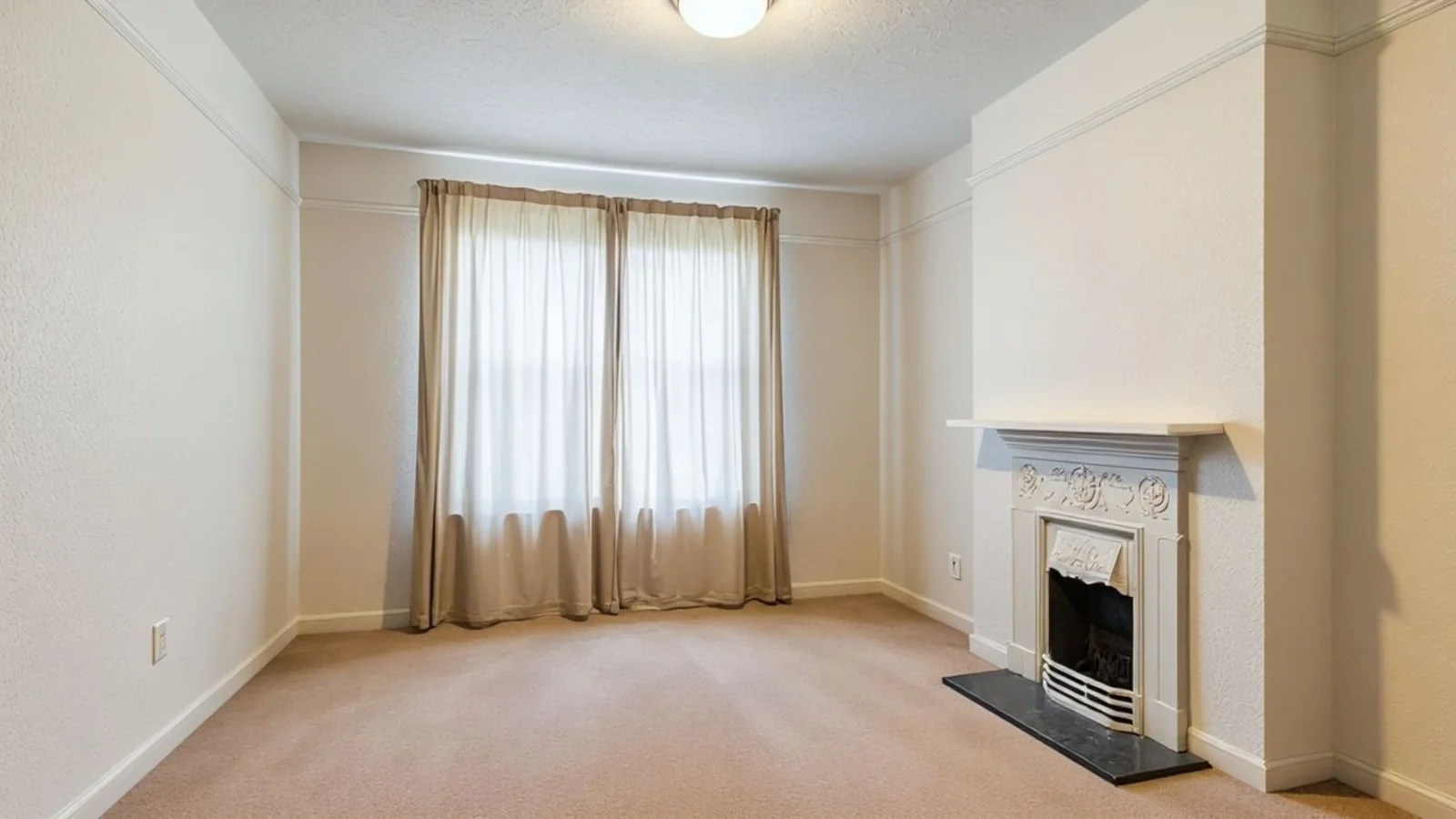
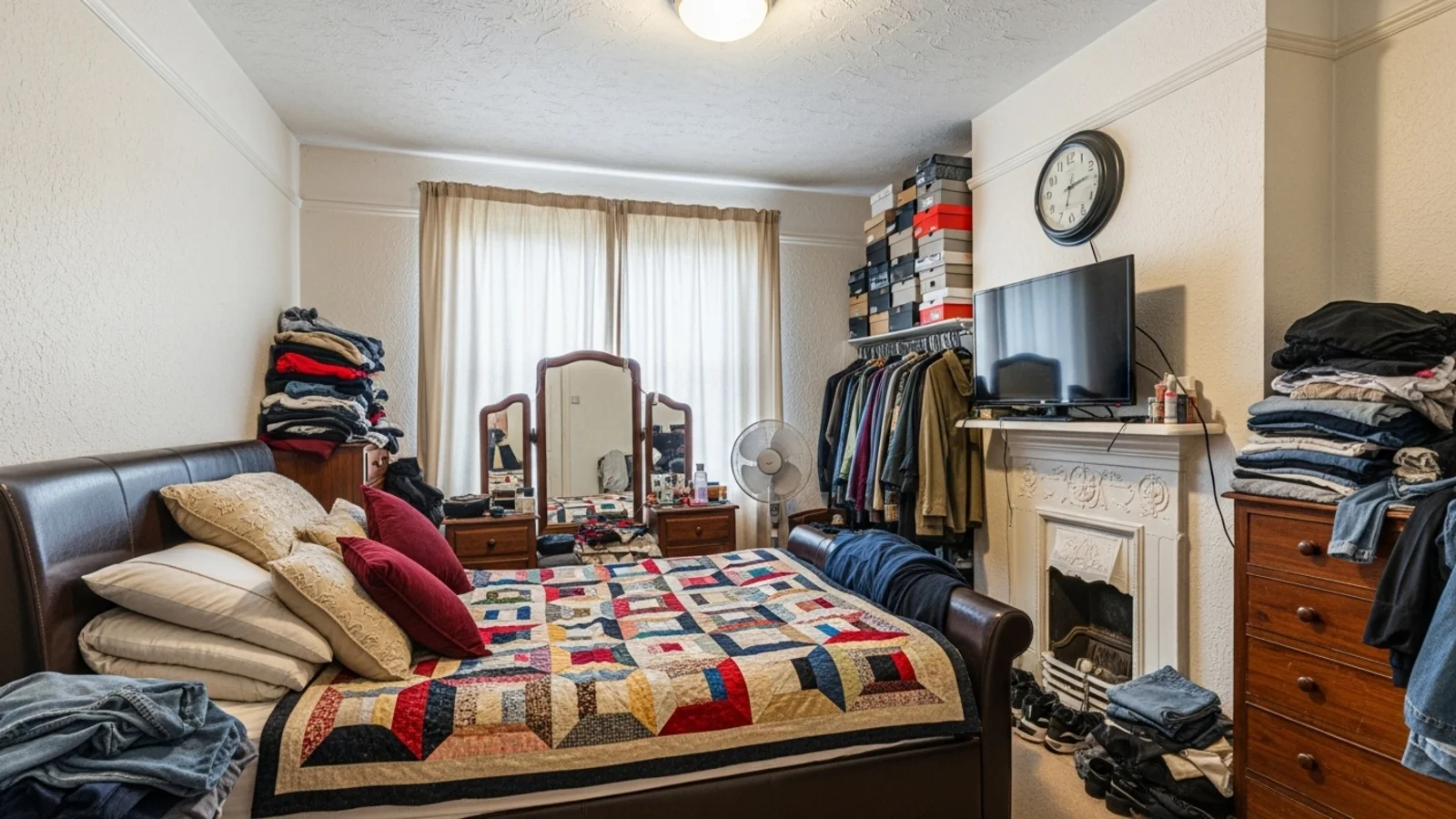
The Real Problem
A room can't breathe when it's crowded by things that don't belong. Even beautiful pieces compete for attention when everything's visible at once.
How It Works
From upload to download - naturally intuitive, powerfully smart.
Upload Photo/s
- Works for furnished, cluttered, or personalized rooms
- You can upload multiple images at once
- The system recognizes furniture, décor, wall art, toys, cabinets, cords, and more
AI Analyzes the Image
- Detects removable items and architectural elements
- Preserves walls, windows, molding, and structural features
Prompt It to Declutter
- Simply type: "Declutter the room" or "Empty my space"
- Want to keep a rug or remove just a cabinet? Just prompt it - "Keep the chair, remove the table"
Fine-Tune What Stays or Goes
- Use follow-up prompts to adjust specific items
- Control exactly what remains in the space
See a Clean, Empty, or Neutral Version
- The room becomes open, calm, and easy to evaluate
- Try different furniture styles, layouts, or moods with Virtual Staging
Optionally, Restage the Space
- Stage the empty room with new virtual furniture
Download When It Feels Right
- Save high-resolution results for planning, listing, or renovation decisions
Prompt Guide
Get the best results with clear, specific prompts.
Do This
Recommended
Use clear commands such as "remove all furniture and decor," "empty the room," or "make the room empty."
If anything needs to be preserved, mention it explicitly.
If something is part of the architecture and needs to be removed, specify it clearly.
Avoid This
Common mistakes
Avoid mentioning only selected items unless you want only those specific items to be removed.
Specificity leads to better results
"Remove all furniture, decor, and objects, leaving the room completely empty."
"Clear the entire living room, including the sofa, tables, and wall art."
"Make the bedroom fully vacant by removing everything except the dresser."
See the Transformations
Real results from our Empty Your Space solution.
Benefits Tailored to Every User
Gives each user the clarity they need to understand the space and make confident decisions.
Homeowners
Key advantages for your workflow
Understand your space before you redecorate or buy anything
See whether the room needs less, not more
Reduce overwhelm, gain clarity
How the AI Understands Your Space
A clear, grounded explanation of how the system creates realistic results.
Our AI design companion analyzes
Room architecture
Light direction & shadow fall
Furniture footprints & spacing
It removes visual clutter while preserving structure. It doesn't "invent new walls" or remodel the room - the architecture stays intact. This keeps results realistic and usable for real-world planning and listing usage.
Your space, revealed - not erased.
Frequently Asked Questions
It's a digital process that removes furniture and clutter from real-room photos to help you visualize space and layout clearly.
Yes, prompt exactly what should stay or go.
Yes, just include a "Digitally Enhanced" disclosure.
Yes, upload multiple photos and the AI will process them together.
Yes, we maintain lighting, texture, and structure for natural results.
Yes, instantly restyle using AI Virtual Staging just by prompting.
Almost always, walls and layout stay the same. Rarely, a detail may shift - simply regenerate to fix it.
Absolutely, it helps you understand proportions, light, and flow before changing anything physically.
Ready to visualize your perfect layout?
Test-drive layouts visually with ReimagineHome. Drop in your room photo, compare two orientations, and choose the one that fits your life.
Reimagine My Home