AI Image Enhancement for Rooms & Listings
Why Image Enhancement Matters?
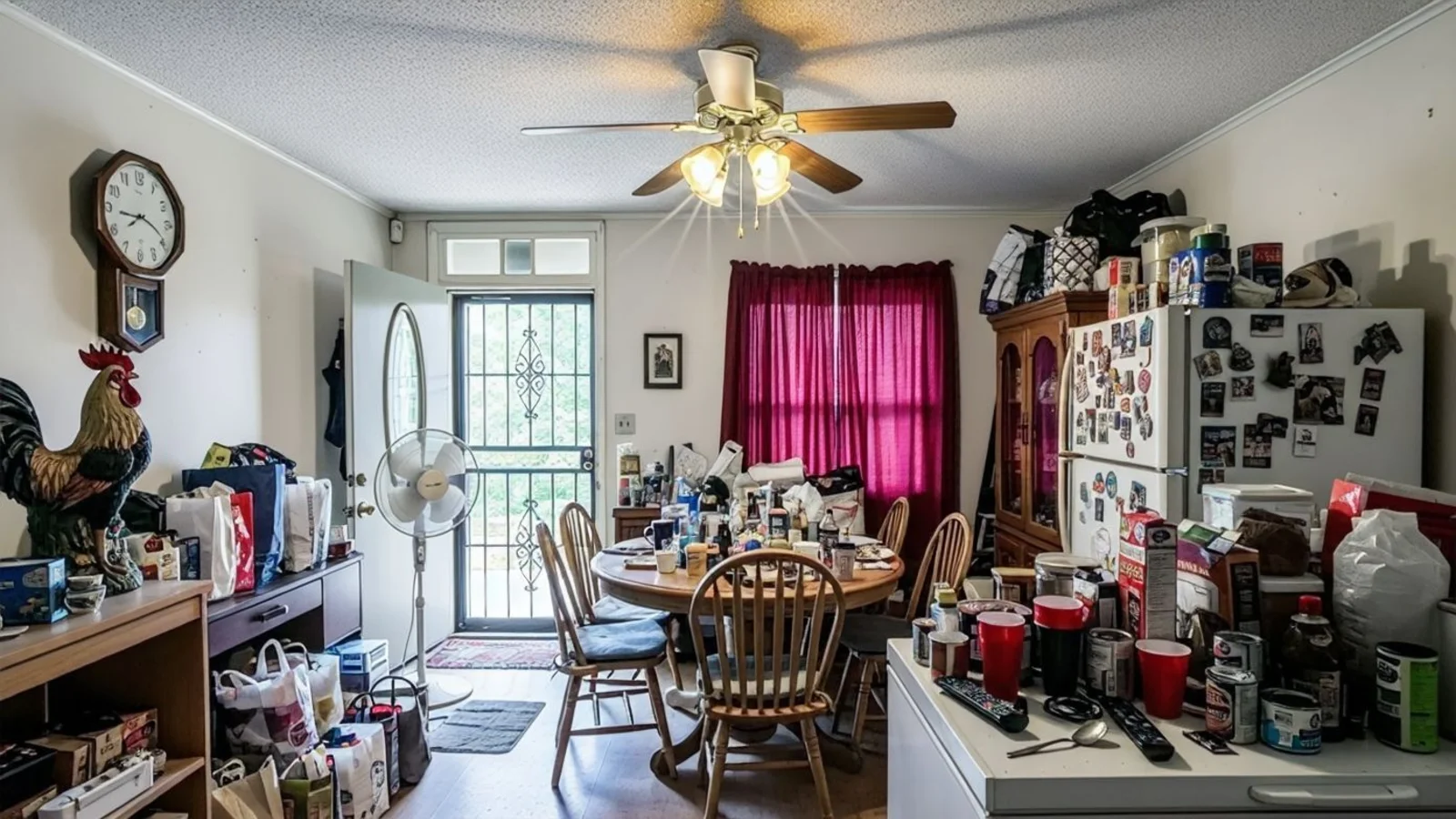
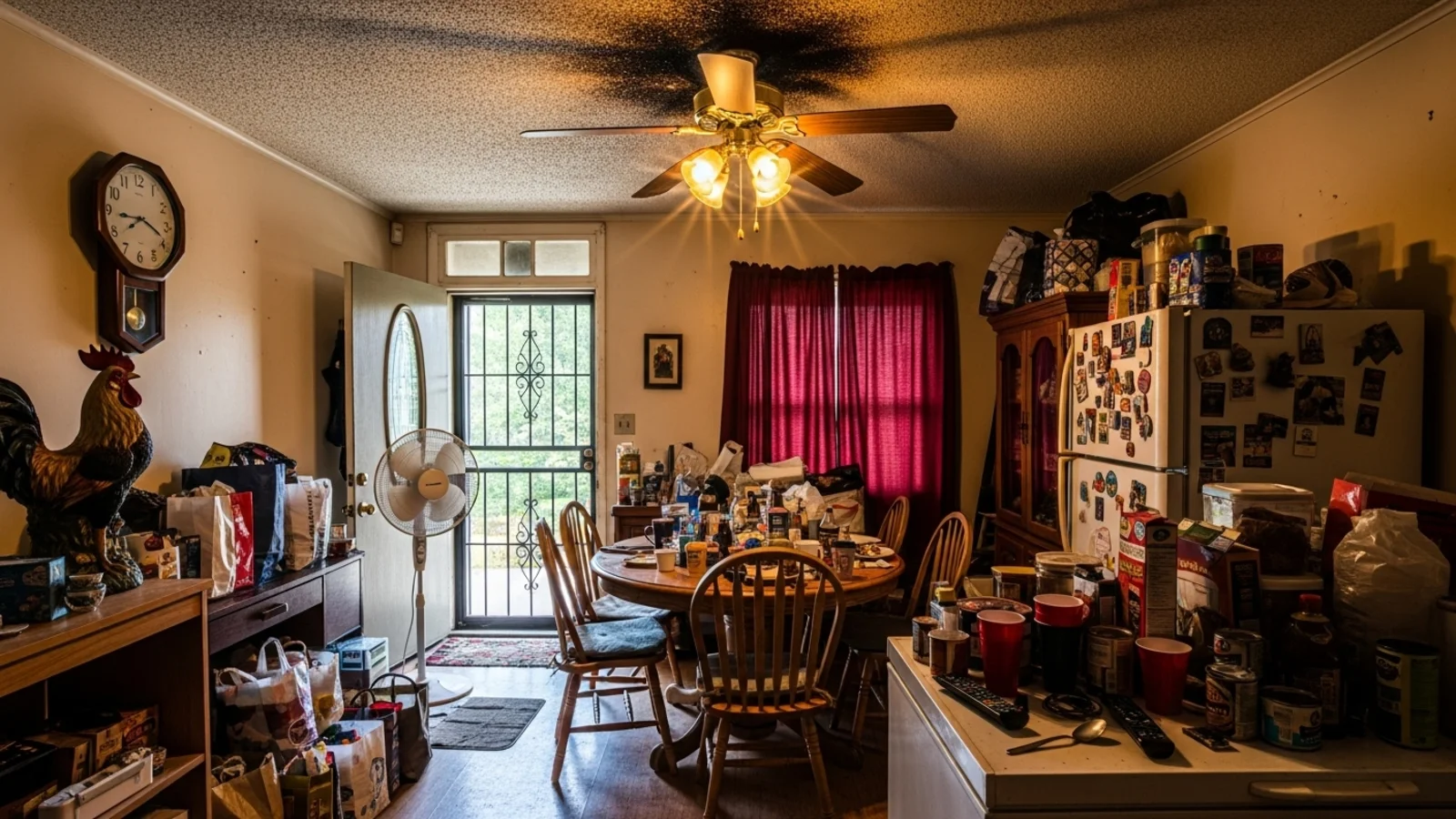
A good room can look bad in a bad photo. Poor lighting flattens everything. Colors shift. Corners look darker than they are. Details disappear.
How It Works
From upload to download - naturally intuitive, powerfully smart.
Upload Your Photo/s
- Use interiors, exteriors, listings, design references, or renovation snapshots
- Any room type, any lighting condition
AI Analyzes the Image
- Detects lighting inconsistencies, color imbalance, texture loss
- Identifies shadows, highlights, noise, and clarity issues
Prompt the Enhancement You Want
- "Make it brighter and clearer"
- "Correct yellow lighting"
- "Sharpen details and colors"
- "Balance shadows, keep it natural"
Add Details with Follow-Up Prompts
- "Reduce contrast slightly"
- "Keep colors neutral, not warm"
- "Remove the harsh highlight on the floor"
- "Make the greenery richer"
Get a Clean, Clear Version
- Lighting, tone, color, detail, and dynamic range improve
- The room stays authentic - no artificial filters
Download When It Feels Right
- Use for listings, presentations, design planning, or reports
- Personal documentation ready
Prompt Guide
Get the best results with clear, specific prompts.
Do This
Recommended
Clearly state that image enhancement is required.
Optionally specify whether you want the image to be slightly brighter or darker.
Avoid This
Common mistakes
Do not give vague enhancement comments.
Specificity leads to better results
"Do image enhancement."
"Enhance the image and make it brighter."
"Correct the color balance and sharpen details."
See the Transformations
Real results from our Image Enhancement solution.
Benefits Tailored to Every User
Gives each user the clarity they need to understand the space and make confident decisions.
Homeowners
Key advantages for your workflow
More accurate-looking photos of your space
Better clarity for planning furniture, color, or layout changes
Natural adjustments without filters
How the AI Understands Your Space
A clear, grounded explanation of how the system creates realistic results.
Our AI design companion analyzes
Ambient vs. artificial lighting balance
Color temperature & white balance
Natural contrast & mid-tone details
Texture fidelity
It enhances your image while respecting real shadows, scale, and surfaces for authentic results. Enhancements follow realistic lighting and tone, not filters or artificial overprocessing.
Your space, looking exactly as it should - clear, bright, and true to life.
Frequently Asked Questions
It improves lighting, color balance, shadows, clarity, and texture without changing the room.
Yes, prompt for subtle, moderate, or strong adjustments.
Yes, white balance correction is one of the core improvements.
Yes, upload several photos for consistent lighting and color across all.
Yes, enhancements follow realistic lighting and tone, not filters or artificial overprocessing.
No, the structure stays the same. In rare cases a detail may shift, but regeneration usually fixes it.
Yes, the AI reduces noise while maintaining detail.
Yes, enhanced photos increase clarity and engagement without altering the property.
Related Tools
Explore more AI-powered design solutions
Ready to visualize your perfect layout?
Test-drive layouts visually with ReimagineHome. Drop in your room photo, compare two orientations, and choose the one that fits your life.
Reimagine My Home